









1. Use a Simple and Clean Format
- Avoid tables, columns, graphics, and images.
- Use a standard font like Arial, Calibri, or Times New Roman.
- Keep the structure logical: Header → Summary → Work Experience → Skills → Education.
2. Add Relevant Keywords from the Job Description
ATS scans resumes for job-specific keywords. Here’s how to optimize:
✅ Identify important skills from the job post.
✅ Use exact keywords in your CV (e.g., “Project Management” instead of “Managed projects”).
✅ Naturally integrate keywords in work experience, skills, and summary sections.
3. Choose the Right CV Format
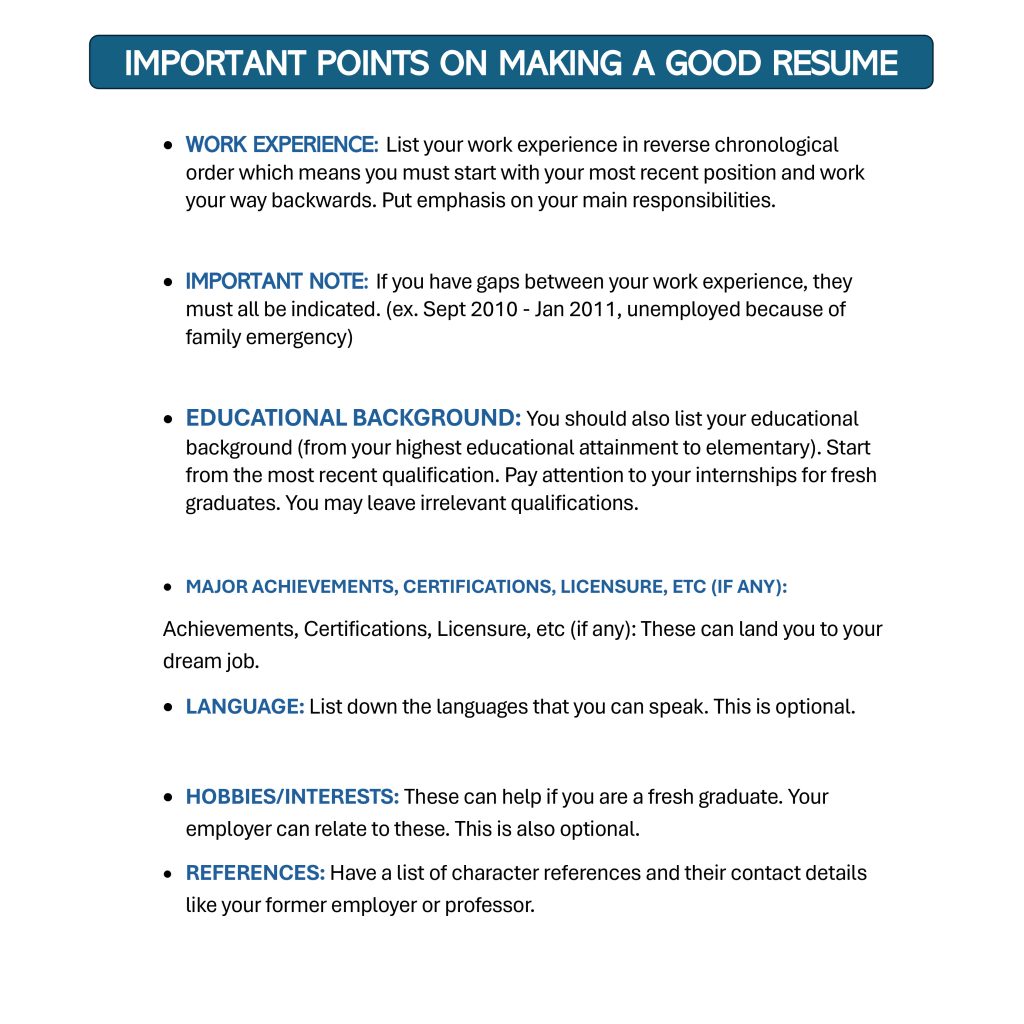
📌 Best format for ATS:
- Chronological (Best for experienced professionals)
- Hybrid/Combination (Best for career changers)
❌ Worst format for ATS:
- Functional resumes (ATS struggles to read them)
Step-by-Step Guide to Writing an ATS CV
1. Start with an ATS-Optimized Header
✅ Include:
📍 Full Name
📍 Professional Email (e.g., yourname@gmail.com)
📍 LinkedIn Profile & Portfolio (if applicable)

❌ Avoid:
- Fancy designs, multiple colors
- Adding “Curriculum Vitae” as a heading
2. Write a Strong Professional Summary
Example of an ATS-friendly summary:
“Results-driven Marketing Manager with 5+ years of experience in SEO, PPC campaigns, and digital branding. Proven expertise in increasing website traffic by 120% through strategic marketing initiatives. Seeking to drive digital growth at [Company Name].”
3. Optimize Your Work Experience Section
✅ Use bullet points
✅ Start each point with a strong action verb (e.g., Managed, Led, Designed)
✅ Include measurable achievements
Example:
Marketing Specialist – XYZ Company (2020-2023)
- Implemented an SEO strategy that increased organic traffic by 85% in 6 months.
- Managed a $50,000 annual budget for paid campaigns, achieving a 4.5x ROI.
4. Add a Skills Section with ATS Keywords
📌 Example of ATS-friendly skills:
✅ Technical Skills: Python, Excel, SEO, Digital Marketing
✅ Soft Skills: Leadership, Time Management, Problem-Solving
5. Save Your Resume in the Right Format
✅ Best format: .DOCX (ATS-friendly)
❌ Avoid PDFs (Some ATS systems can’t read them properly)
Common Mistakes to Avoid in an ATS CV
❌ Using fancy fonts or graphics
❌ Adding columns or tables
❌ Stuffing keywords unnaturally
❌ Submitting in PDF format (unless requested)
Job Application Strategy to Increase Success Rate
1. Research Job Market & Target Employers
🔎 Find companies that align with your career goals and values.
2. Customize Your CV for Each Application
📌 Why? ATS ranks tailored resumes higher than generic ones.
Example:
- If applying for a Marketing role, emphasize SEO, PPC, branding.
- If applying for IT, highlight coding languages, software skills.
3. Write a Strong Cover Letter
📌 Tips:
✅ Address the hiring manager directly
✅ Mention why you’re the best fit for the role
✅ Showcase how your skills solve their pain points
4. Leverage LinkedIn & Networking
📌 Actionable Tips:
✅ Optimize your LinkedIn profile with keywords
✅ Engage in industry-related groups
✅ Reach out to recruiters with a personalized message
Best ATS CV Tools & Resources
1. Free ATS Resume Checkers
🔹 Jobscan (Jobscan.co)
🔹 Resumeworded (Resumeworded.com)
3. Best Job Search Platforms
✅ LinkedIn Jobs
✅ Indeed
✅ Glassdoor
Conclusion
Creating a strong ATS CV and implementing a smart job application strategy significantly improves your chances of landing a job.
📌 Key Takeaways:
✅ Use an ATS-friendly format & keywords
✅ Avoid tables, images, and fancy fonts
✅ Tailor your CV for each job application
✅ Leverage LinkedIn & networking for job opportunities